¶ Google Ads Integration
Enhance your campaigns with 24Metrics' powerful fraud detection and optimization tools. The Google Ads Integration allows you to automatically screen traffic, block fraudulent clicks, and optimize ad spend by leveraging real-time fraud analysis.
Detect invalid traffic, reduce wasted budgets, and improve conversion accuracy with seamless data synchronization between Google Ads and 24Metrics. Stay ahead of ad fraud and maximize your campaign performance with advanced fraud prevention and actionable insights.
¶ Create the Google Ads Integration
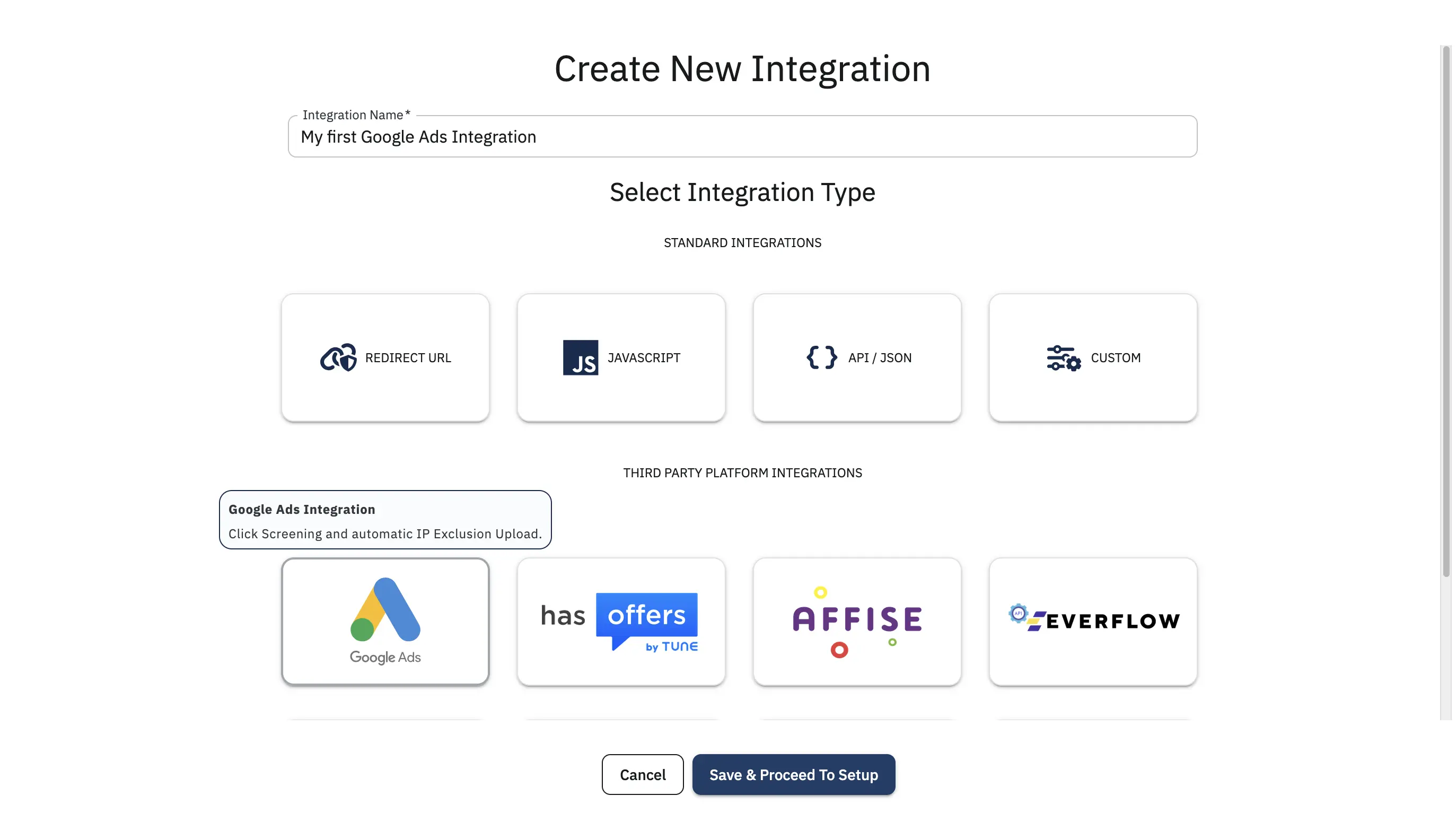
- Go to Integrations section from the main menu.
- Click Create.
- Select Google Ads Integration from the integration type options.
- Give your integration a name then click Save & Proceed to Setup.
¶ Customer ID Setup
- Log in to your Google Ads account
- Copy your 10-digit number Customer ID from the top right corner of your Google Ads account.
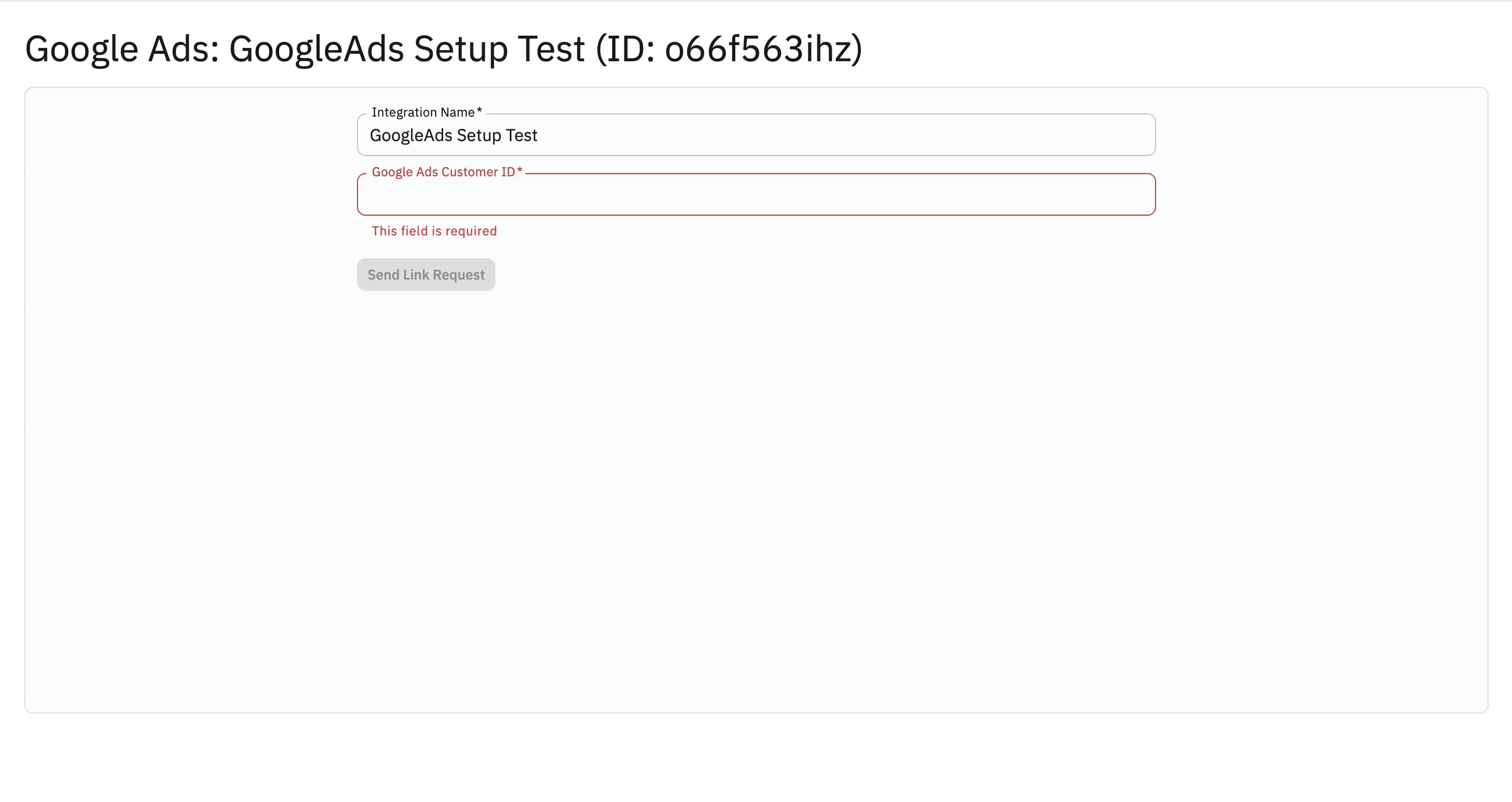
- Return to 24Metrics and paste the ID into the Google Ads Customer ID field
- Click Send Link Request
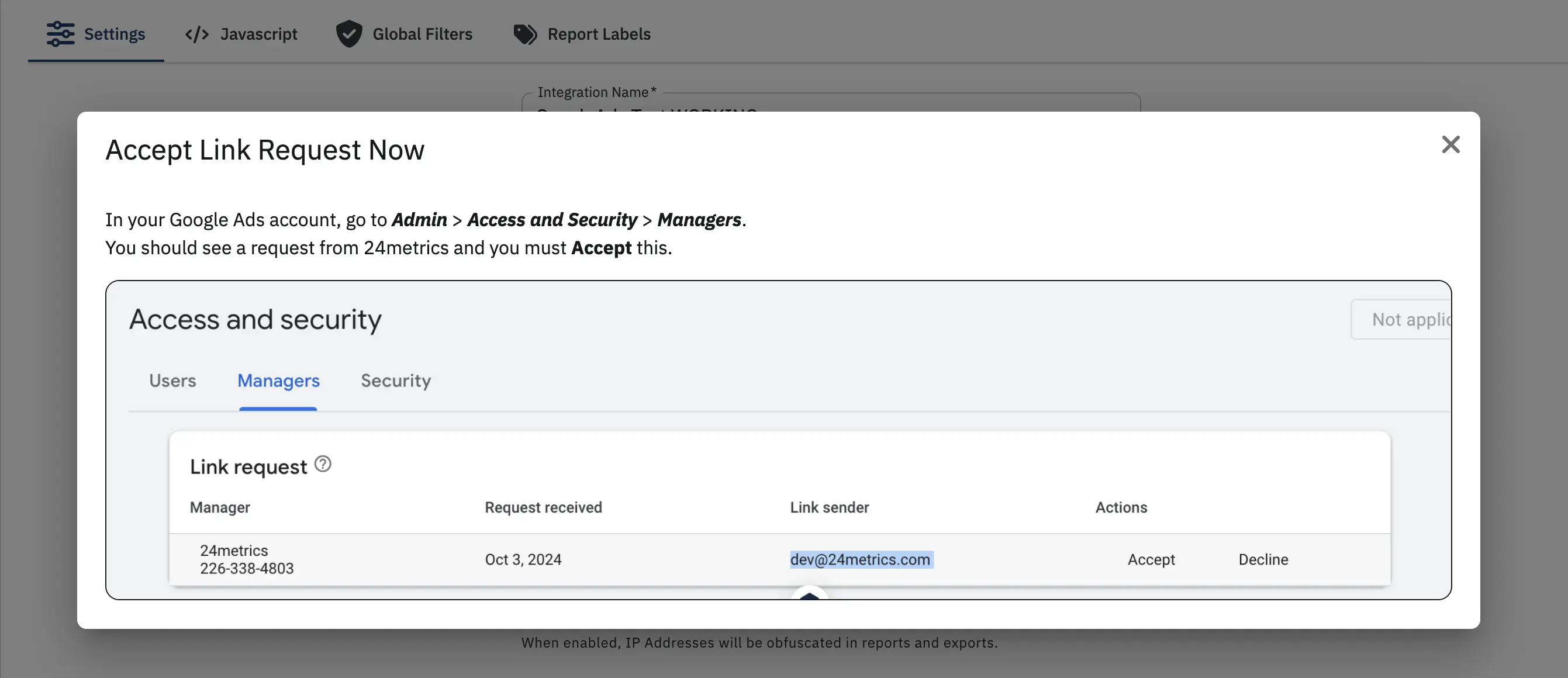
- Accept Link Request in Google Ads
¶ Google Ads Confirmation
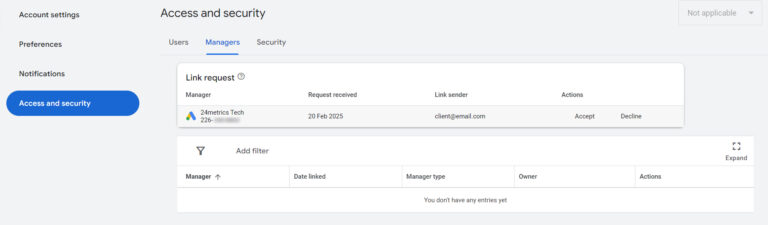
- In your Google Ads account, navigate to Admin → Access and Security → Managers
- Locate the Link request from 24Metrics and Click Accept
¶ Create a Click
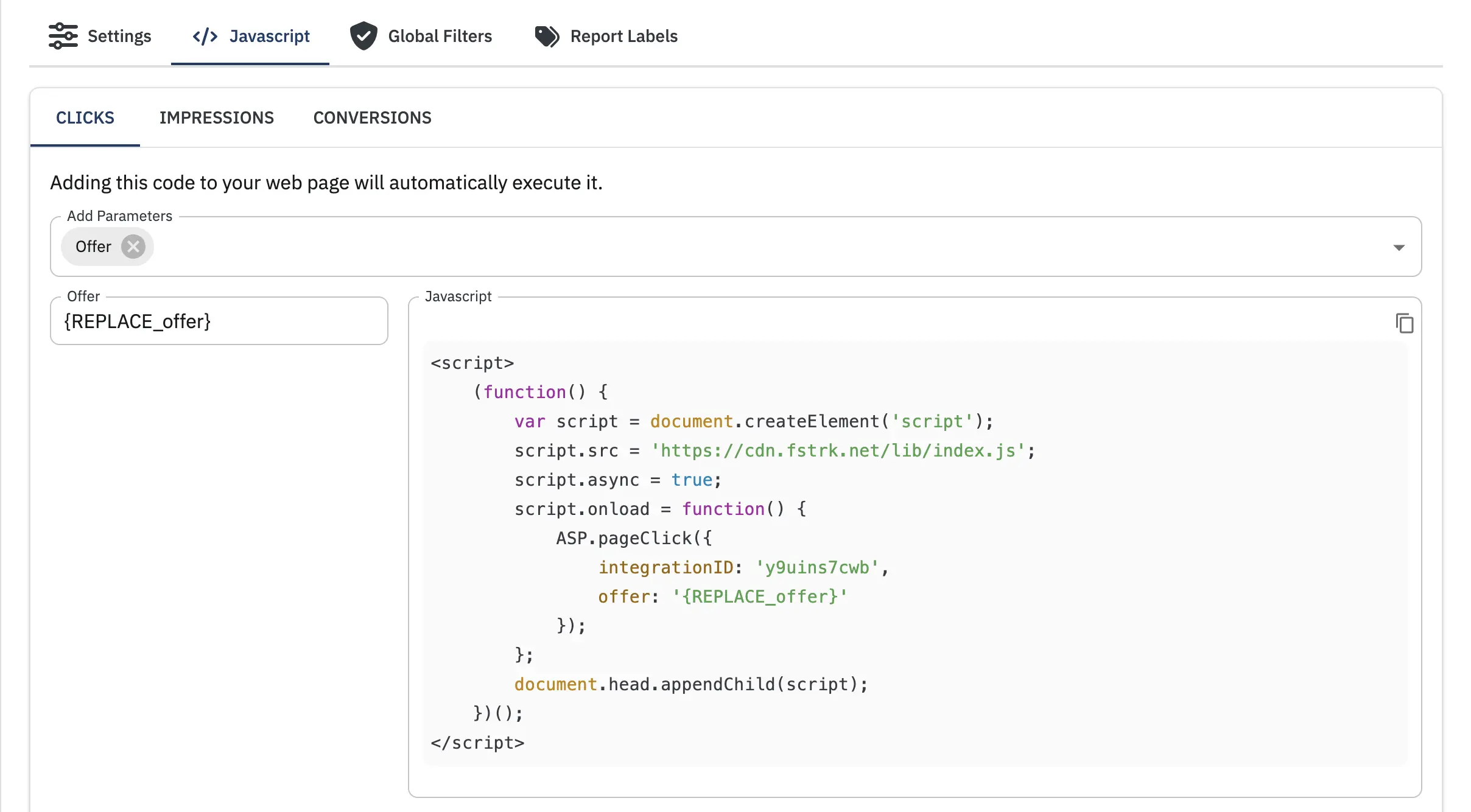
- In your 24metrics Google Ads Integration Details, navigate to Javascript Tab.
-
Define the additional parameters.
Note: Your integration ID will automatically be included in the generated code. -
Copy the script.
-
Embed it on the landing page in the
<body>HTML section. -
Try to imitate a real AdGroup ID and Placement ID formats from Google Ads to make it more realistic.
- (optional) Use real AdGroup ID or Placement ID values from your Google Ads account for more accurate testing.
-
Open the html file in a web browser and it will automatically send a click to 24Metrics with the parameters you entered.
-
Navigate to the Click Report page in 24Metrics to verify the click was recorded with the correct AdGroup ID and Placement ID
¶ Google Ads IP Exclusion Effect
- Create clicks via HTML using different click ips.
Option 1: Manually addclick_ip: '{ip_address}'in theASP.pageClickfunction
Option 2: Try a different VPN connection for each click.<script> (function() { var script = document.createElement('script'); script.src = 'https://cdn.fstrk.net/lib/index.js'; script.async = true; script.onload = function() { ASP.pageClick({ integrationID: '{integration_id}', click_ip: '{ip_address}' }); }; document.head.appendChild(script); })(); </script> - Allow a few moments for processing, then review the Click Report page to verify that the clicks are being accurately recorded in the table.
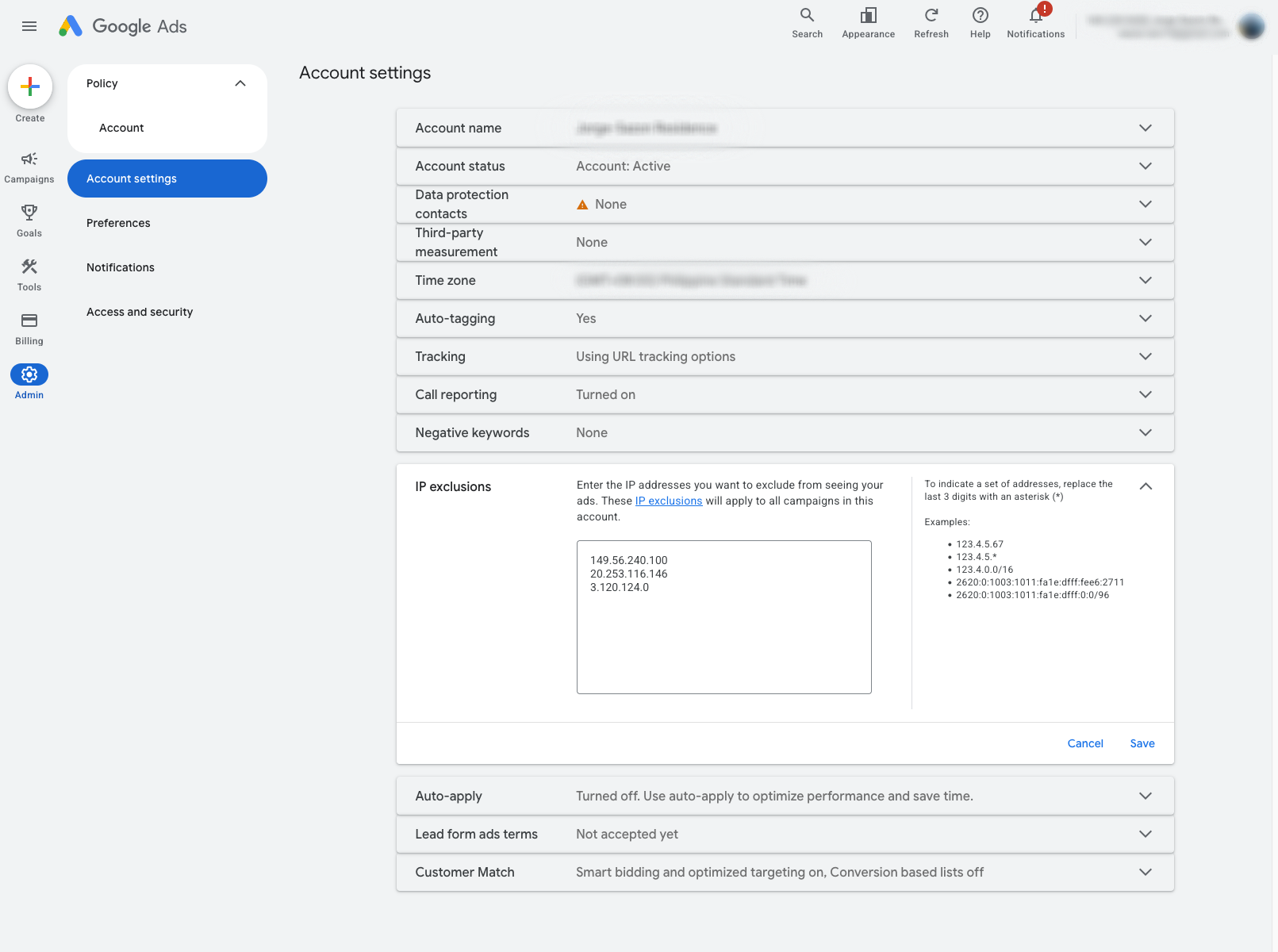
- In your Google Ads account, navigate to Admin → Account Settings → IP Exclusions. Here you can see the list of excluded IP addresses that have been added by 24Metrics based on the fraud detection results.
¶ Global Filters
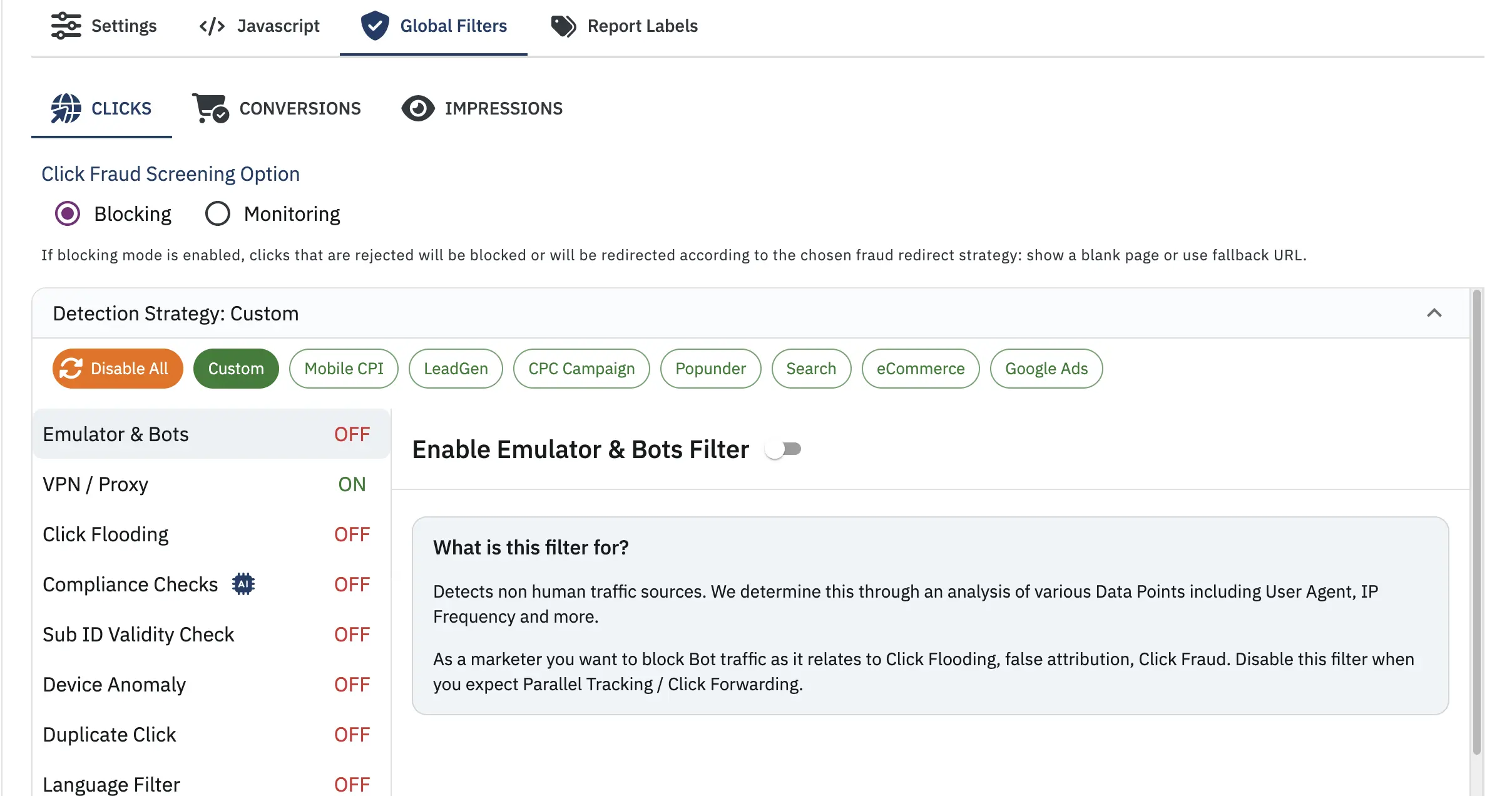
Configure fraud detection filters to protect your Google Ads campaigns from invalid traffic. The Global Filters section allows you to define screening rules based on your fraud detection requirements.
¶ Understanding Filter Groups
Defines the Global fraud screening rules applied to all traffic at the integration level.
¶ Detection Strategies
For quick setup, select a pre-defined Detection Strategy that matches your campaign type:
- Disable All Filters - All filters will be disabled
- Mobile CPI - Optimized for mobile cost-per-install campaigns
- LeadGen - Configured for lead generation campaigns
- CPC Campaign - Tailored for cost-per-click campaigns
- Popunder - Designed for popunder traffic
- Search - Optimized for search campaigns
- eCommerce - Configured for eCommerce conversions
- Google Ads - Pre-configured specifically for Google Ads traffic
- Custom - Manually define your own filter configuration
¶ Configuration Steps
- Navigate to the Global Filters tab in your Google Ads integration
- Choose a Detection Strategy preset or manually configure the filters and the Detection Strategy will automatically switch to Custom.
- Enable or disable specific fraud detection filters based on your requirements
- Adjust filter thresholds and parameters as needed
- Click Save to apply your filter configuration
¶ Fine-Tuning Your Filters
Detection Strategies provide a solid baseline, but you should:
- Test your filter selection against real traffic
- Analyze results in the Click Reports and Fraud Detection reports
- Adjust thresholds based on your domain knowledge and business needs
- Create Custom Filter Groups for specific traffic sources that need different rules
💡 Learn More: For detailed information about Filter Groups, execution priority, and best practices, see Filter Groups Explained.
¶ Report Labels
¶ Why Use Report Labels?
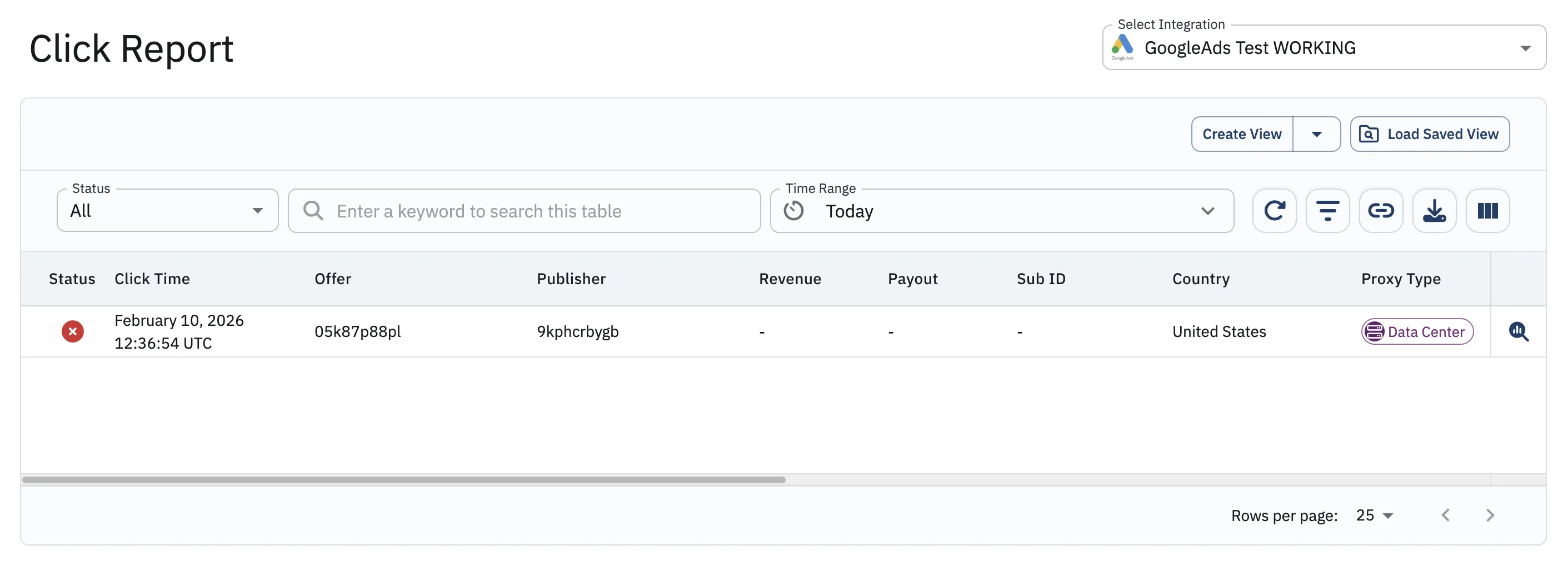
When you created test clicks in the Create a Click section, you may have noticed that the Click Report displays raw AdGroup IDs (e.g., 05k87p88pl) and Placement IDs (e.g., 9kphcrbygb) instead of meaningful campaign names. While these IDs are technically accurate, they make it difficult to quickly identify which campaigns, ad groups, or placements are generating traffic.
Report Labels solve this problem by allowing you to assign custom, human-readable names to these raw IDs. Instead of seeing cryptic numbers, you'll see descriptive labels like "Summer Sale Campaign" or "Mobile App Install - iOS" in your reports, making data analysis much faster and more intuitive.
¶ Benefits of Using Report Labels
- Improved Readability: Quickly identify campaigns without memorizing ID numbers
- Better Analysis: Understand traffic patterns at a glance
- Team Collaboration: Share reports that everyone can easily understand
- Faster Decision Making: Spot issues and opportunities without cross-referencing Google Ads
¶ Viewing Labeled Reports
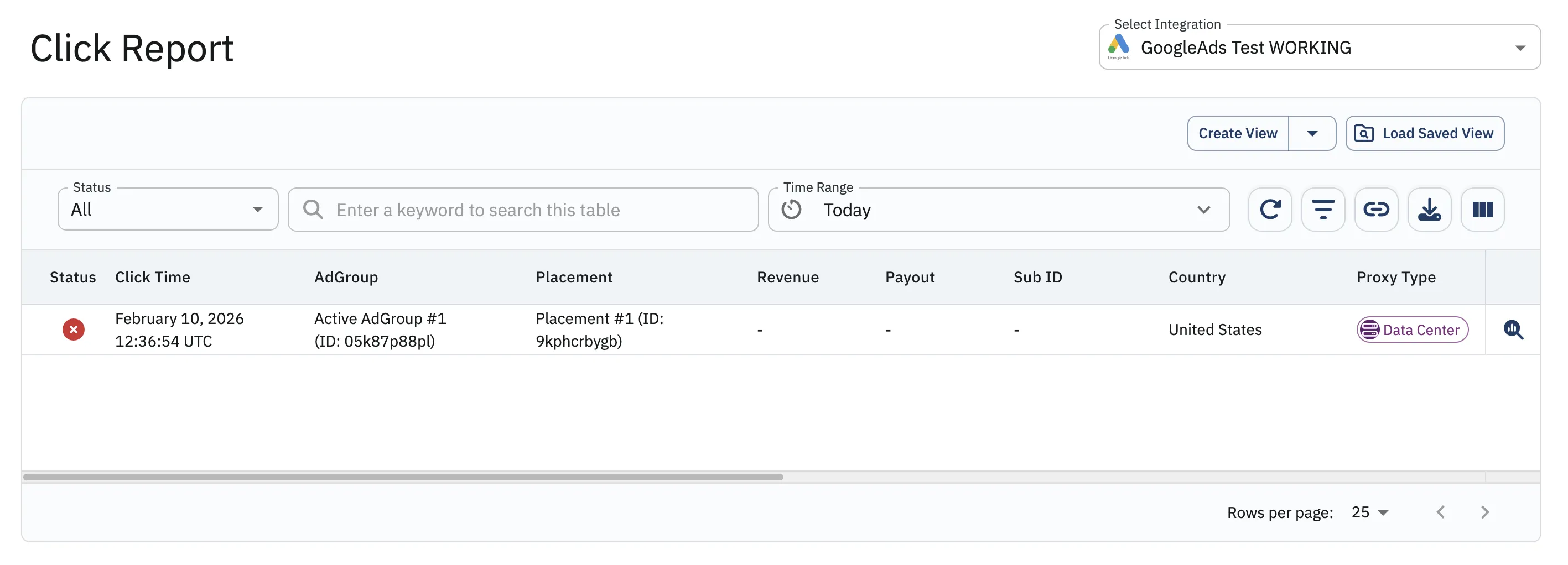
Once configured, your Click Reports will display the friendly labels instead of raw IDs, making it easy to see which campaigns are performing well or triggering fraud alerts.
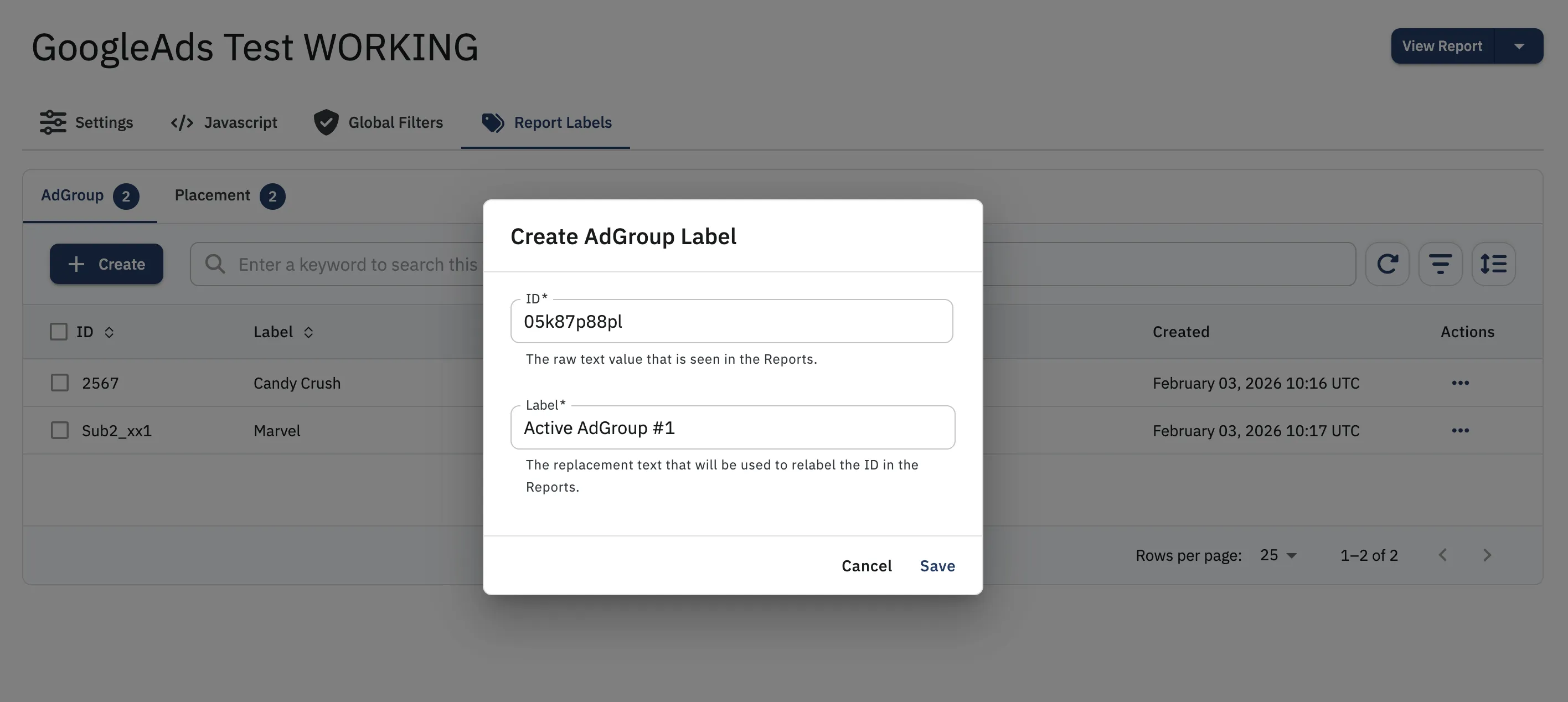
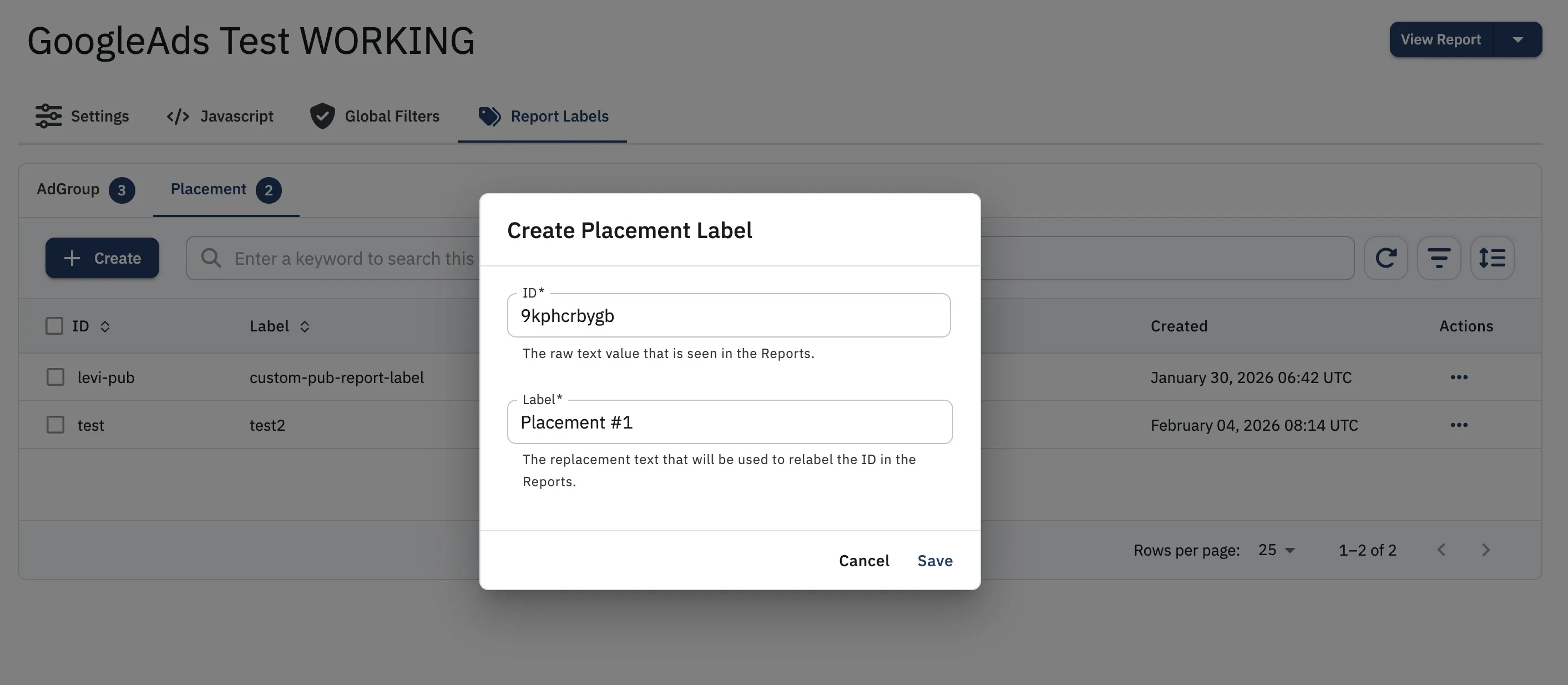
Allow a few moments for processing the data transformation after creating the labels. You can use the refresh table button to reload the data.
Before Report Labels:
- AdGroup:
05k87p88pl - Placement:
9kphcrbygb
After Report Labels:
- AdGroup:
Active AdGroup #1 (ID: 05k87p88pl) - Placement:
Placement #1 (ID: 9kphcrbygb)
💡 Pro Tip: Add labels for all your active campaigns as soon as you set up the integration to ensure all future reports are immediately readable.
¶ Additional Configuration Options
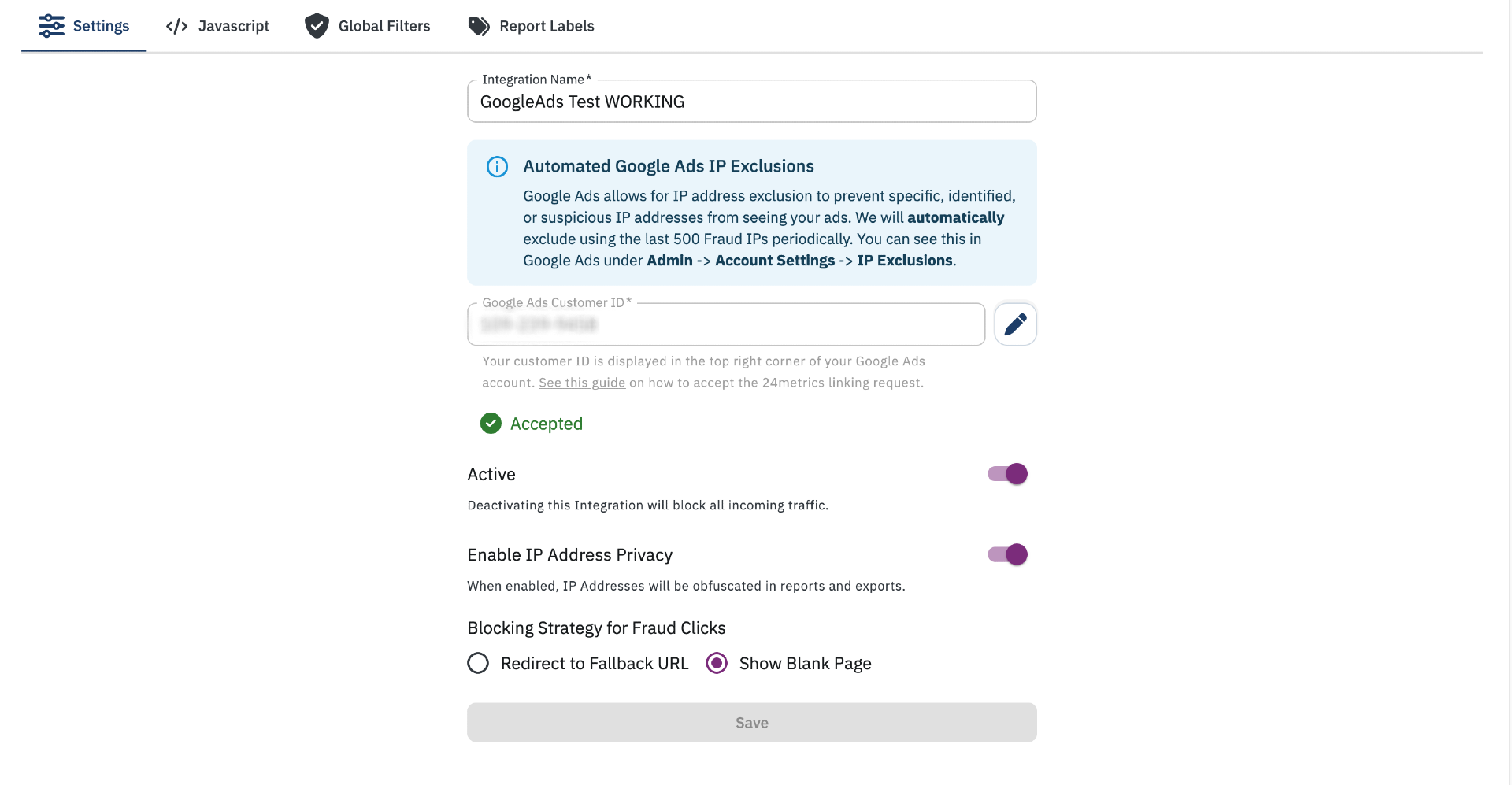
Once your integration is complete, you can configure the following options:
-
Active: Toggle this switch to activate or deactivate the integration. When deactivated, click and conversion screening will stop.
-
Enable IP Privacy: When enabled, IP addresses will be obfuscated in all reports and data exports for enhanced privacy compliance.
-
Blocking Strategy for Fraud Clicks:
- Redirect to Fallback URL: rejected clicks will be redirected to a custom URL.
- Blank Page: rejected clicks will be redirected to a blank page.
-
Javascript:
Generate a Javascript Integration script for real-time screening of clicks and conversions by selecting the desired options and parameters.
Adding this code to your web page will automatically execute it:- Define the additional parameters.
- Copy the script.
- Embed it on the landing page in the
<body>HTML section.
For a detailed walkthrough on creating test clicks with the Javascript integration, see the Create a Click section.