Traffic increase or decrease
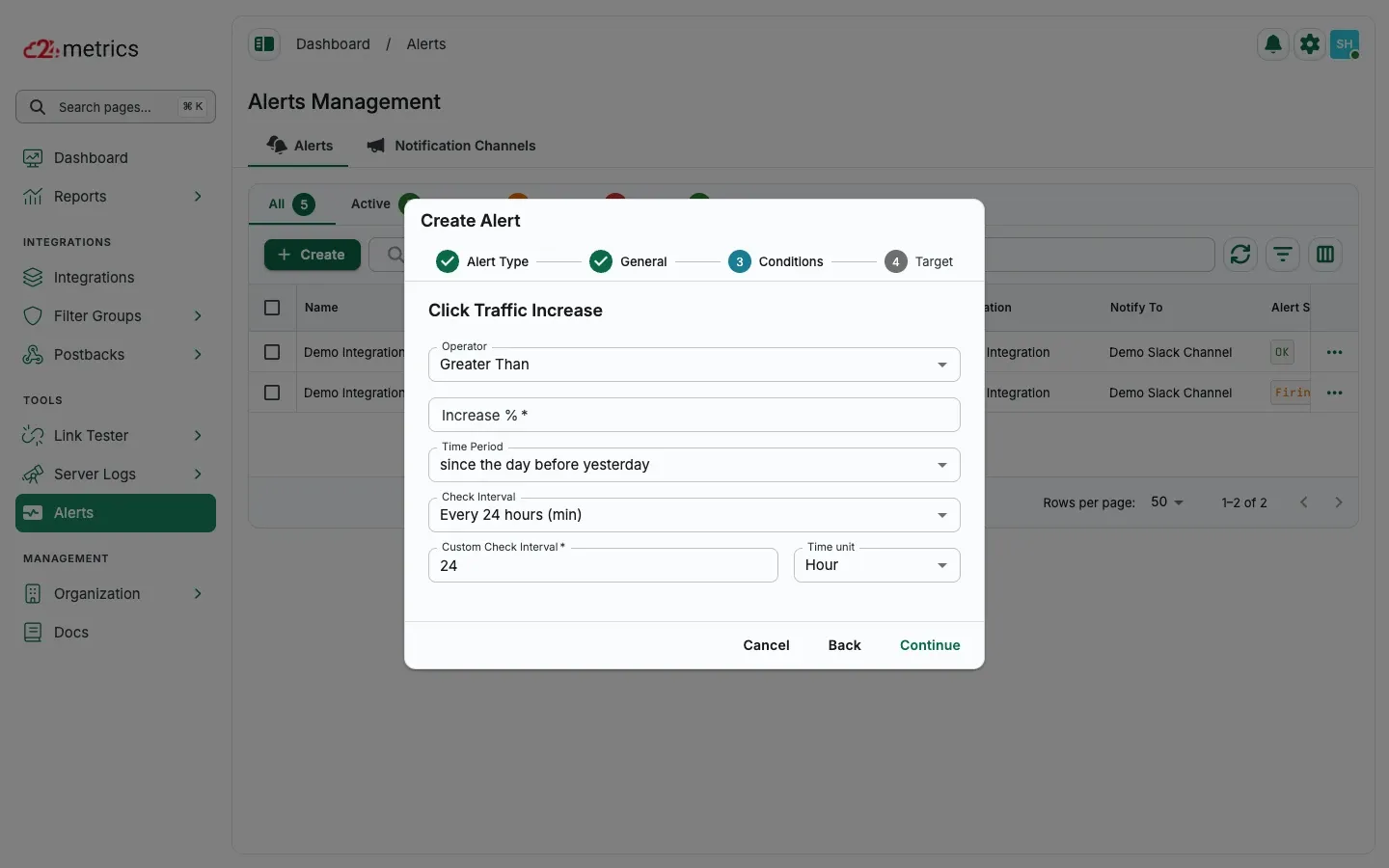
Traffic Increase and Decrease alerts notify you when click or conversion volumes rise or drop beyond a defined percentage threshold. These alerts help detect sudden spikes or drops in traffic, which may indicate technical issues, campaign problems, or fraud. The comparison is based on “yesterday’s” data versus activity from 2, 4, or 6 days earlier.
How to set it up
Section titled “How to set it up”- Open Alerts and click Create.
- Choose CLICKS or CONVERSIONS, then select Click Traffic Increase or Click Traffic Decrease and click Continue.
- Enter an alert name and notification channel, then continue.
- Set the increase/decrease percentage, time period, and check interval.
- Choose the target integration, then save.