

Compliance checks
Compliance Checks screens source URLs using categories, direct keywords and centrally managed keyword groups. It supports clicks and conversions; the impression counterpart is Site URL Check. Supply the appropriate referrer or site URL through your integration so the filter can evaluate the source.
Categories and keywords
Section titled “Categories and keywords”Open Compliance Checks in Filters and choose the event type.
-
Block By Referer Categories selects the domain categories to reject. The current UI lists Fraud, Drugs, P2P / Streaming, Hate Speech and Adult.
-
Block Referer Domain By Matching Keywords rejects matching source URLs. For example,
test-sourcecan matchhttps://test-source.example/. -
Block Referer Domain By Matching Keywords Group reuses centrally maintained keyword lists. Select them in Blocked Keyword Tags or open Manage Referer Keyword Groups.
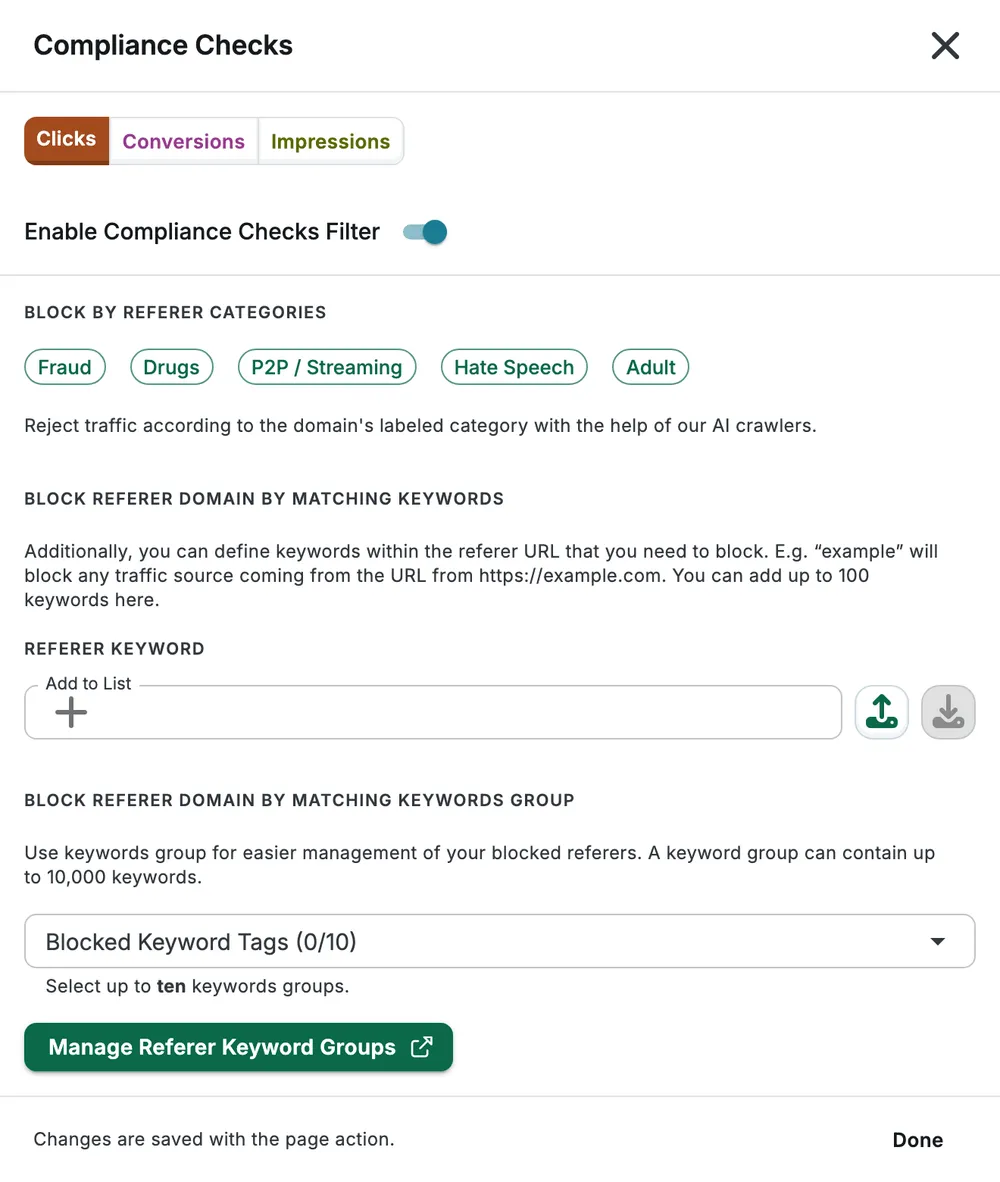
Select Done, then save the page. Avoid overly broad keywords: a short substring can also occur in legitimate source URLs.
Limits and caveats
Section titled “Limits and caveats”The direct-keyword UI guidance says 100 entries, while backend validation accepts up to 1,650. Keep dashboard-managed lists within the displayed guidance; use keyword groups for larger lists rather than relying on the discrepancy.
You can create up to 100 keyword groups per organization, store up to 10,000 keywords per group and select up to 10 groups in one Compliance Check. The selection limit is not the organization-wide creation limit.
The Hate Speech UI category currently maps to the backend key proxy. Confirm the intended category with support before relying on it for a specific content policy. Category screening is not a guarantee that every page on a domain has been reviewed.
See Data Validation for request-field rules and filter groups for monitoring before blocking.