

Duplicate user detection
Use Duplicate Event to limit repeated events using identity signals. It supports clicks as Duplicate Click, conversions as Duplicate User Detection, and impressions as User Frequency Check. Choose checks for identifiers your integration actually supplies; shared IP addresses alone are not proof that two events came from the same person.
Configuration rules
Section titled “Configuration rules”Open Duplicate Event in Filters, then choose Clicks, Conversions or Impressions. Each event type has its own rules. You can configure up to three rules per event type.
For each rule, set:
- Allowed Duplicates: a count of at least
1. - Lookback Time (hours): how long repeated events remain in the counting window.
- Target Level: Offer, Publisher, or both. Selecting both scopes the count to each offer and publisher combination. Conversion rules also expose Include Event to distinguish events within an offer. Include Sub ID visibility depends on account access.
- Checks: IPv4, IPv6, UUID, Fingerprint and Device ID. The IPv4 check also offers with User Agent. Enable at least one of IPv4, UUID, Fingerprint or Device ID; IPv6 alone does not satisfy backend validation.
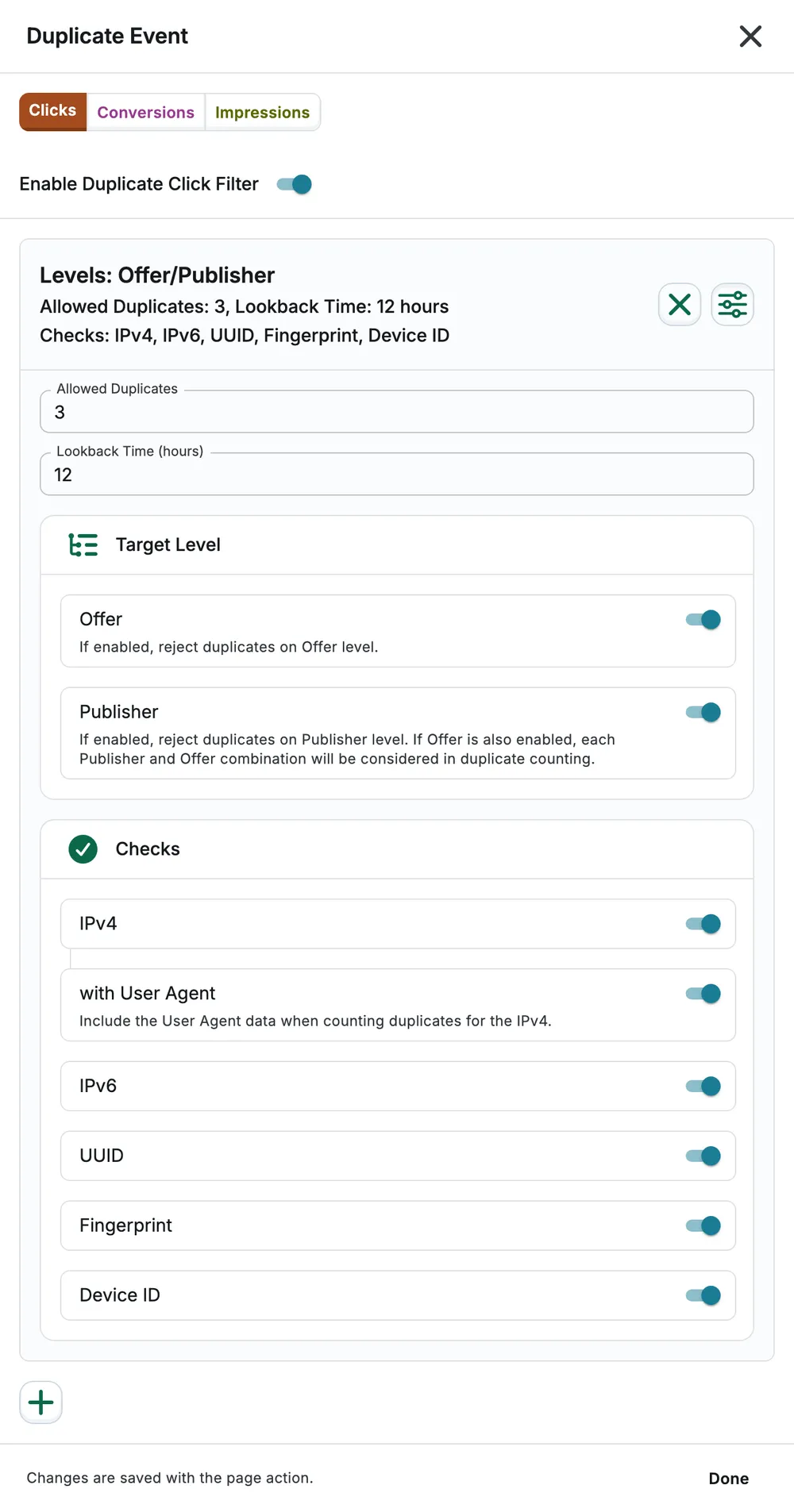
Use the plus button to add a rule. Select Done, then save the page. Review each event tab rather than assuming that click rules also apply to conversions.
Example and caveat
Section titled “Example and caveat”A rule scoped to offer and publisher can allow three repeated click events within 12 hours for the selected identity checks. That does not mean the same limit applies across all offers. Use a shorter window or additional identifiers if legitimate users share networks.
New-group click rules use a 12-hour lookback. The initial conversion rules use 72, 24 and 24 hours, so check each rule rather than assuming one universal default.
See Keyword for repeated search terms and Click Flooding for burst screening.