

Shared reports
Shared reports save report settings, including selected columns, filters, and grouping. They are not immutable CSV snapshots. Recipients may need email verification or an authenticated session; possession of a link does not promise unrestricted anonymous access.
How to generate and share reports
Section titled “How to generate and share reports”You need access to the integration and an eligible plan with sharing available.
- Open an available report such as Overview Report, Clicks Report, or Conversions Report.
- Select the integration, date range, columns, and filters. Review the scope before sharing.
- Use the report’s share-link action.
- Enter a name, then select Create Shared Report.
- Copy the link from Shared Reports and send it only to the intended recipient. They may be asked to verify their email.
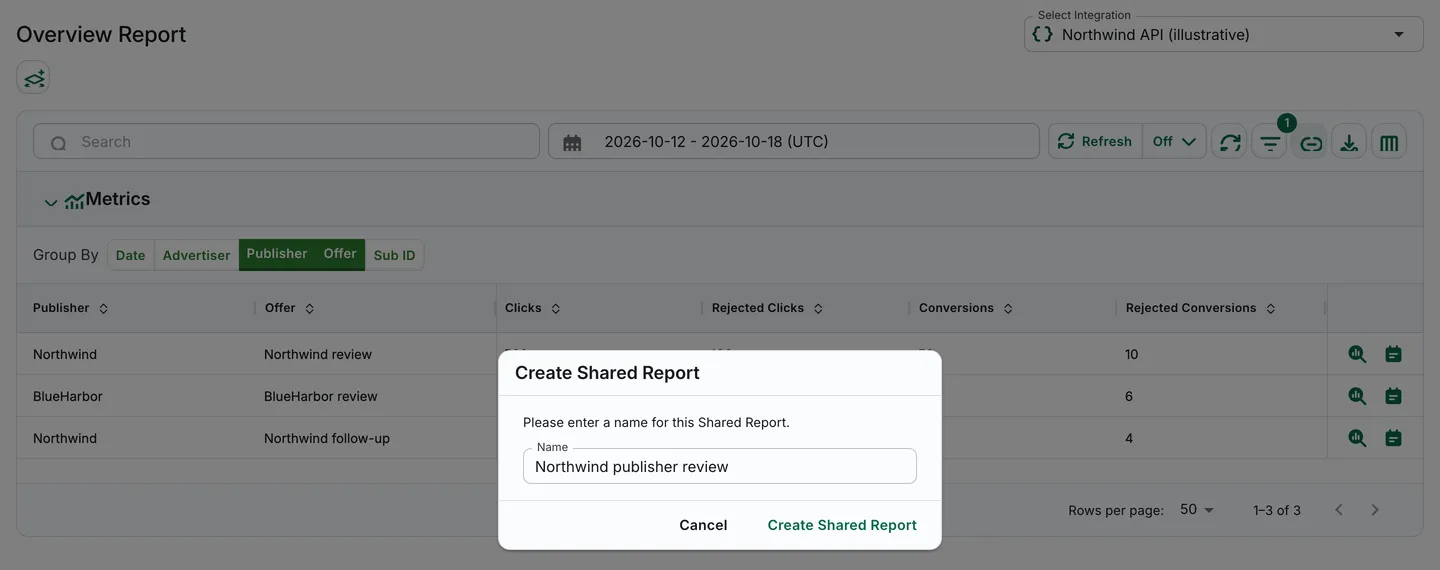
Illustrative synthetic Overview settings before the shared report is created.
Reports management
Section titled “Reports management”Open Reports → Shared Reports, select the integration and relevant tab, then use Edit Name, Copy Link, or Delete on the intended report. Confirm the correct report before deleting it.
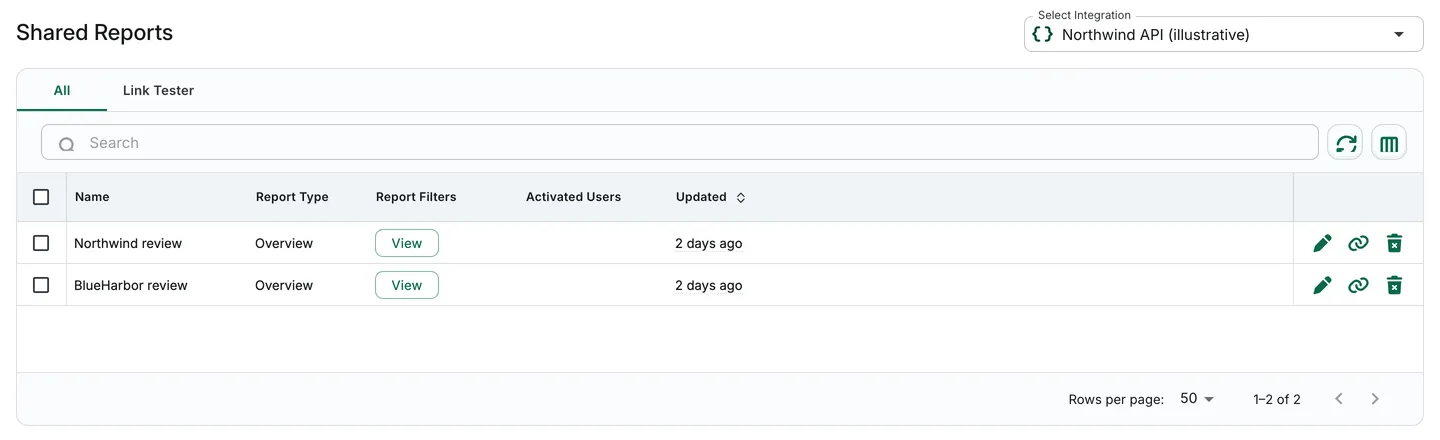
Illustrative synthetic report list.
Next steps
Section titled “Next steps”Use Export reports when you need a CSV file instead. Hiding columns is not an irreversible anonymization process; review visible identifiers and the full scope before sharing either format.