

Push conversions to a CRM
With 24metrics, you can connect conversion to CRM data (Customer Relationship Management) system to allow you to track leads, sales, and customer interactions seamlessly. This integration ensures that all relevant data is synchronized, helping you make informed business decisions.
Set up
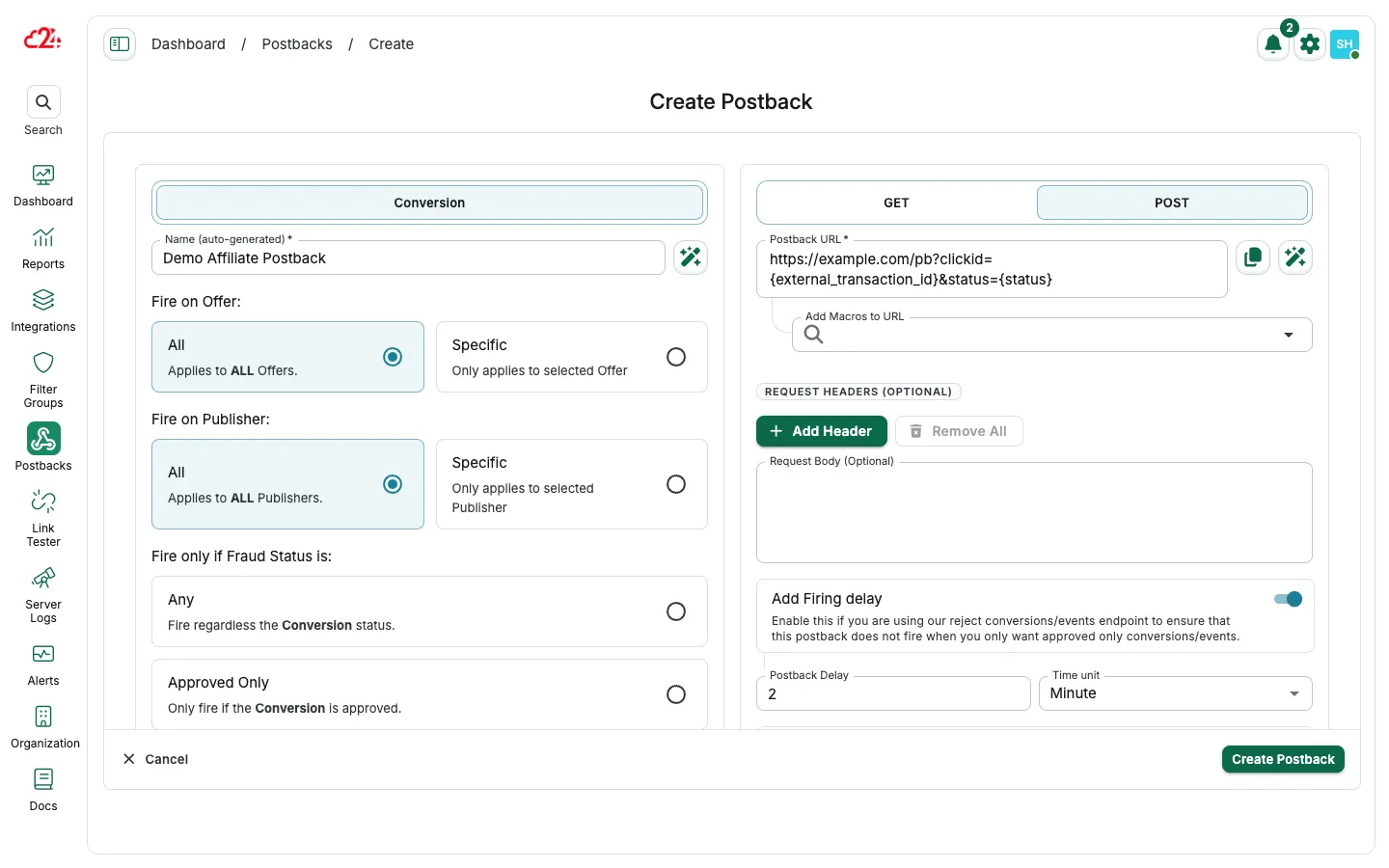
Section titled “Set up”- Open Postbacks and click Create.
- Leave Fire on Offer / Fire on Publisher on All, or choose Specific targets.
- Enter the CRM endpoint as the Postback URL and add macros for the fields the CRM expects.
- For GET APIs, keep the GET method selected.
- For POST APIs, switch to POST, then set optional Request Headers and Request Body.
Use POST when the CRM requires a request body or custom headers. Headers and body fields appear after you select POST.
Connecting your conversion data with your CRM is a crucial step in enhancing your sales process and customer management. By leveraging the benefits of this integration, your business can operate more efficiently and effectively, ultimately leading to increased revenue and customer satisfaction.