

Postback logs
Postback logs record outbound delivery attempts and HTTP responses. A delivery error is not a traffic-fraud verdict, and an HTTP success does not by itself establish a conversion’s payment eligibility.
Open Postbacks → Postbacks Logs, select an integration you can read, and choose a date range.
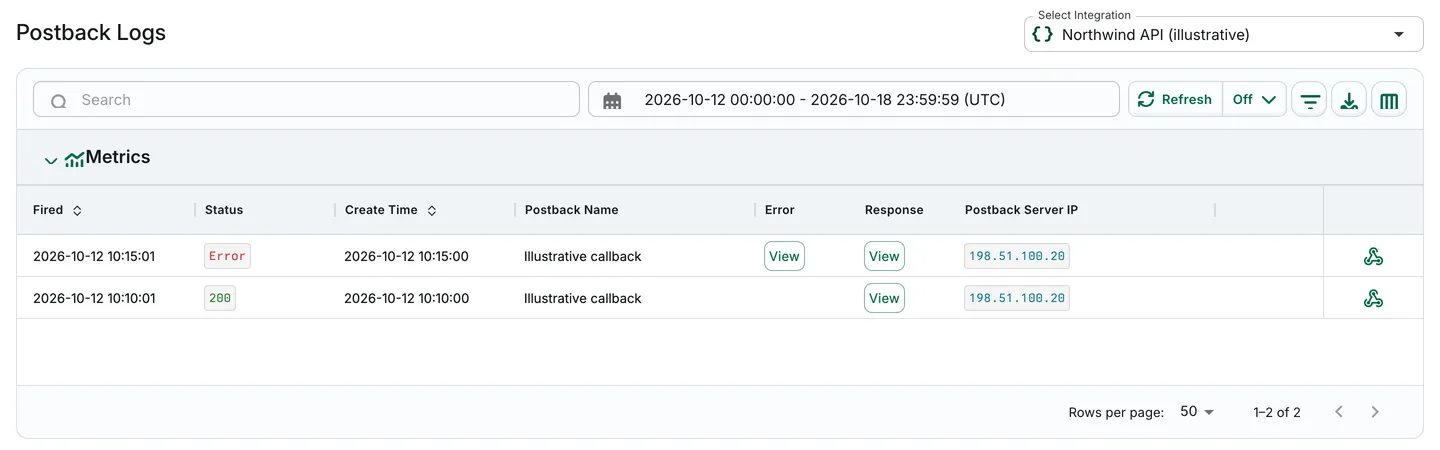
Illustrative synthetic delivery records with an example worker IP, not a real incident. The optional transaction ID is omitted.
Data captured
Section titled “Data captured”Use Edit Columns to inspect available fields, including:
- Fired and Create Time
- Manager, offer, publisher, event, and transaction identifiers where present
- Postback type, URL, and Postback Server IP
- Request method/settings, response status and body, elapsed response time, and errors
Key feature
Section titled “Key feature”Filter on available fields using the operators offered for that field. Exact, partial, and exclusion matching are not universal across every field.
Troubleshoot a delivery
Section titled “Troubleshoot a delivery”- Narrow the integration, time range, and available identifiers.
- Compare the URL, request settings, response status/body, and error on the relevant attempt.
- Remove credentials and personal data before sharing any diagnostic content.
- Compare server logs for inbound handling and conversion rows for screening outcomes.
In the fictional example, HTTP 200 and Error illustrate different delivery outcomes only. A missing optional transaction ID does not prove missing traffic or a clickless conversion.