

AppMetrica
Integrate Appmetrica Fraud Detection with a few easy steps. 24metrics is an integrated partner with AppMetrica. You can find 24Metrics in the Tracking Section. Under Postback destination select Installation / Event and paste the Integration ID into the AppMetrica Postback URL field.
-
Create the integration in 24metrics
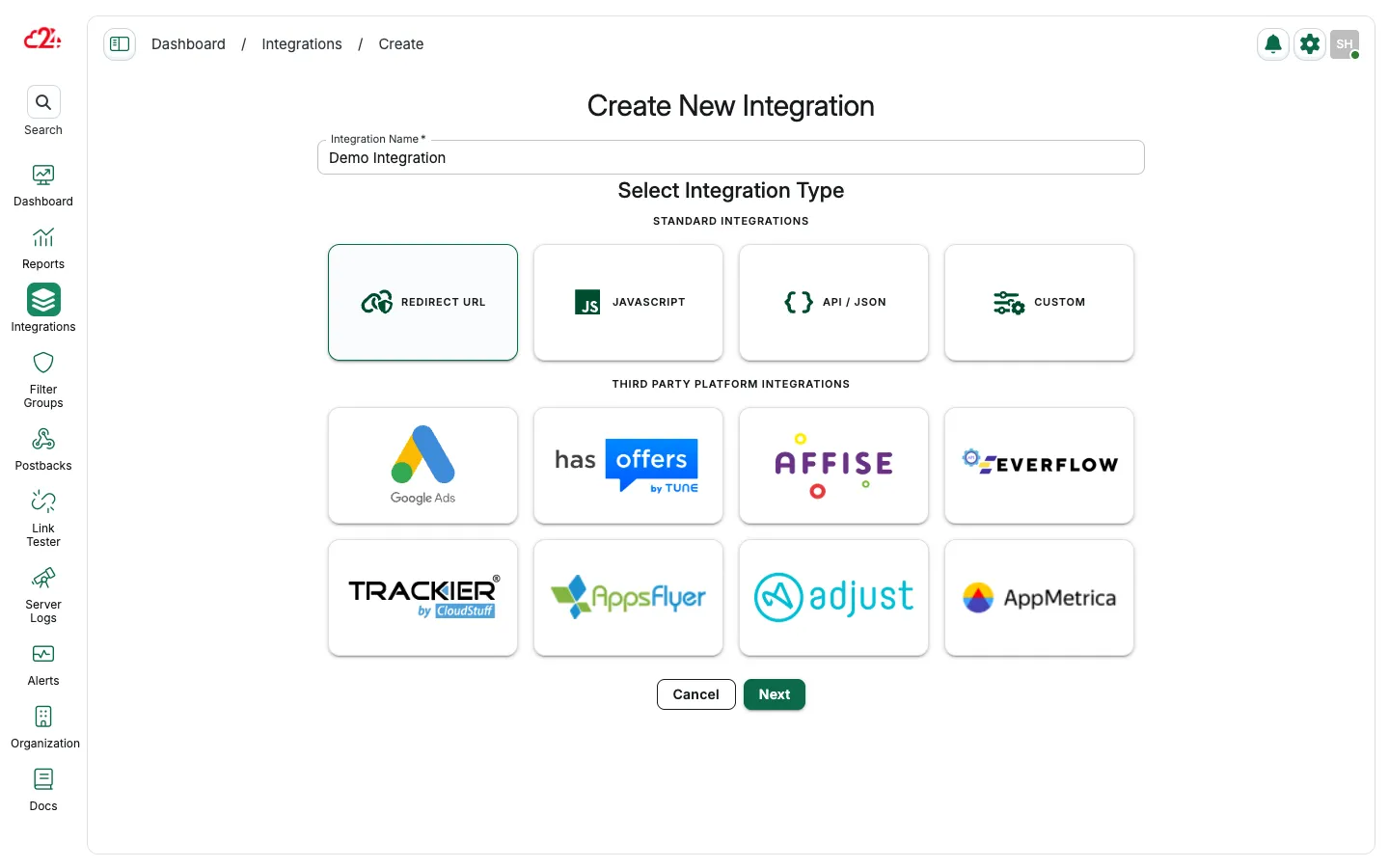
Open Integrations and click Create. Enter a name, select AppMetrica, then click Save & Proceed To Setup.
-
Copy the Integration ID
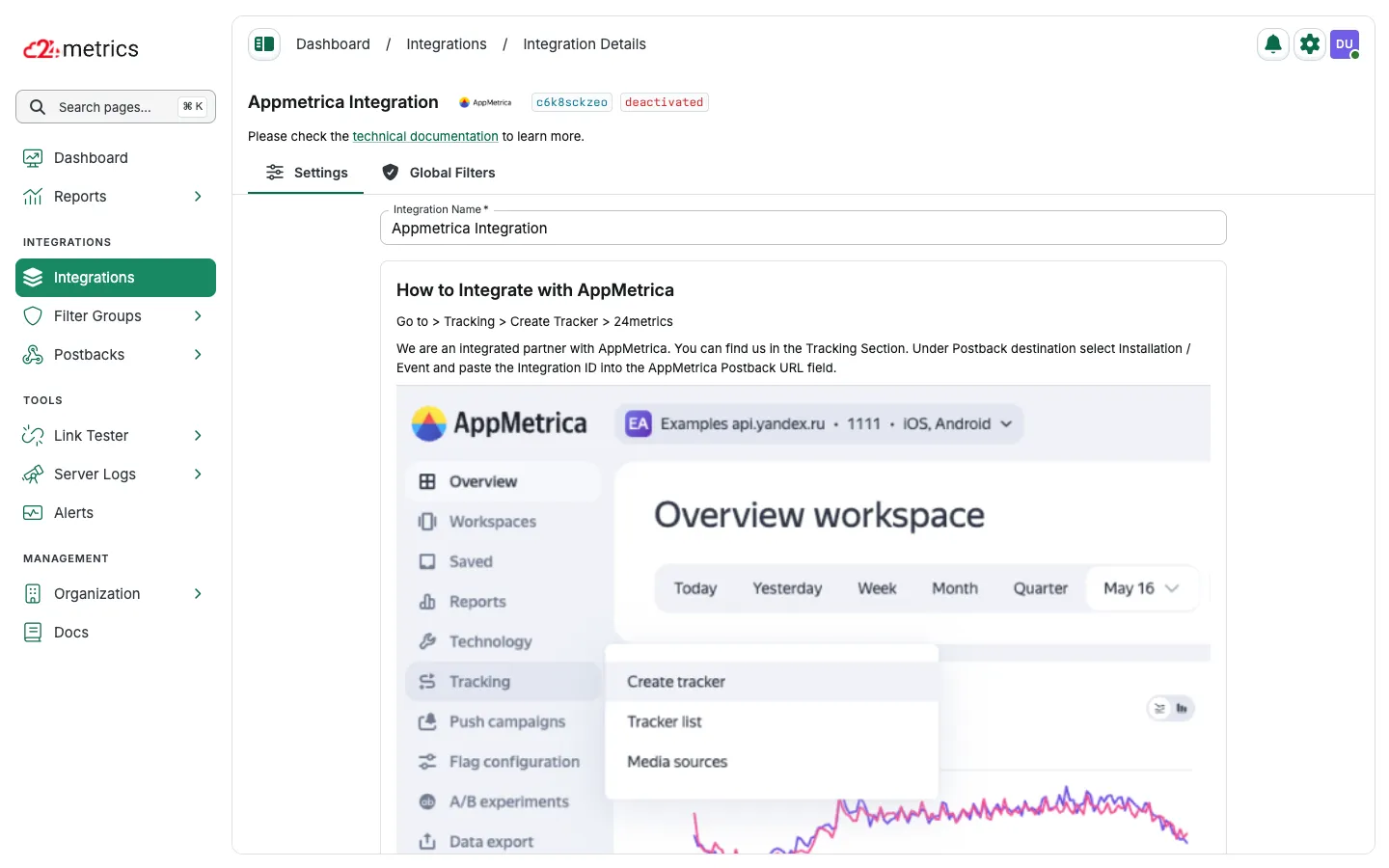
Open the new integration Settings page and copy the Integration ID shown in the header (and in the AppMetrica setup instructions).
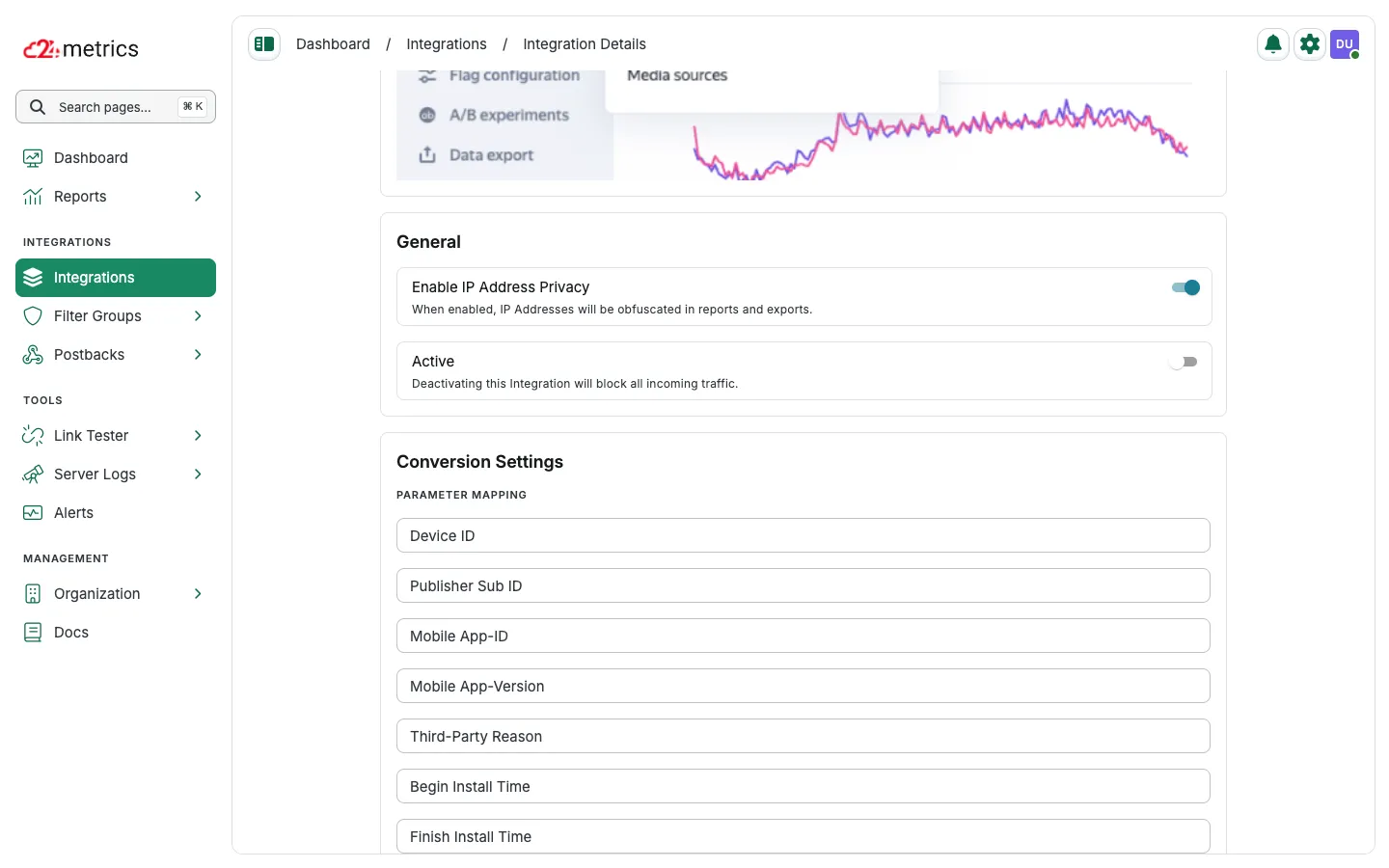
Map conversion fields under Conversion Settings → Parameter Mapping if needed.
-
Create a tracker in AppMetrica
In AppMetrica, go to Tracking → Create Tracker → 24metrics, then select 24Metrics from the partner list.
-
Set the postback destination
Select Installation / Event as the postback destination and paste your 24metrics Integration ID into the AppMetrica Postback URL field.